
Product overview
Tutornet is a mobile-first tutoring marketplace. Students discover nearby tutors and book in-person or online sessions. Tutors create profiles, manage requests, and can verify their identity before a Verified badge is shown on their profile.
For students
- Browse tutors by subject, university, distance, and reviews
- View availability and request a session
- Message the tutor and leave a review after the session
For tutors
- Create a profile with subjects, rates, and availability
- Accept session requests and message students
- Verify identity to show a blue check next to their name
Legal / contact
How Tutornet uses Persona
Identity verification is optional for tutors and is used for trust and safety. We do not collect government ID images on Tutornet servers. Persona hosts the ID + selfie check. Tutornet stores only the inquiry ID and verification status so we can show a Verified badge.
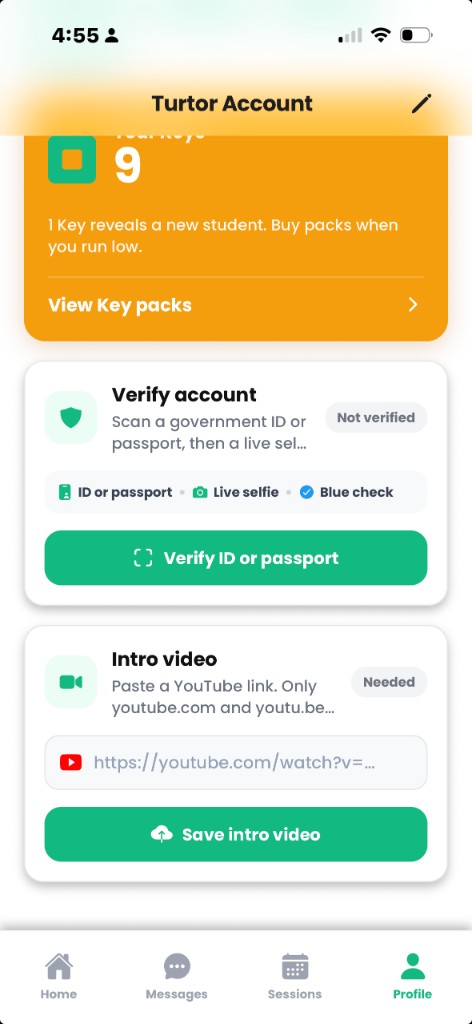
- 1. Tutor starts verification in-app. Profile → “Verify ID or passport”.
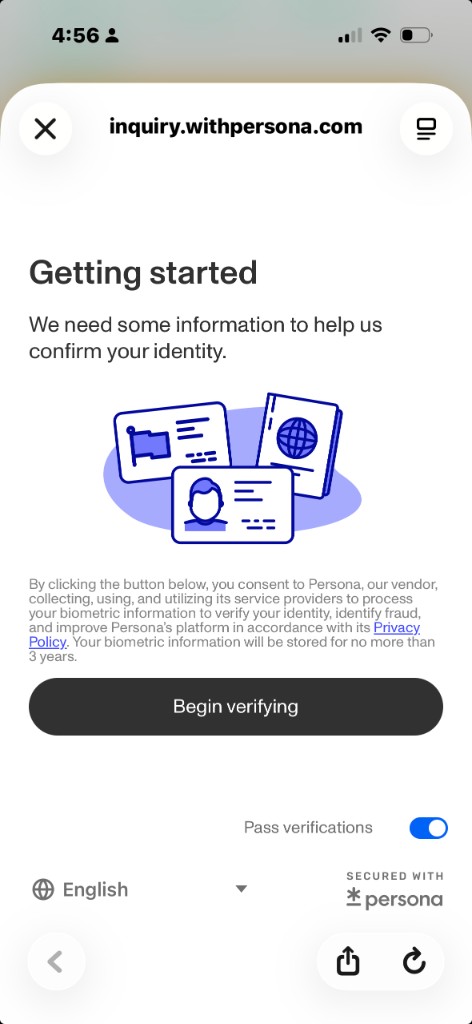
- 2. Persona hosted flow. The app opens Persona’s inquiry in the system browser. The tutor scans a government ID or passport, then completes a live selfie.
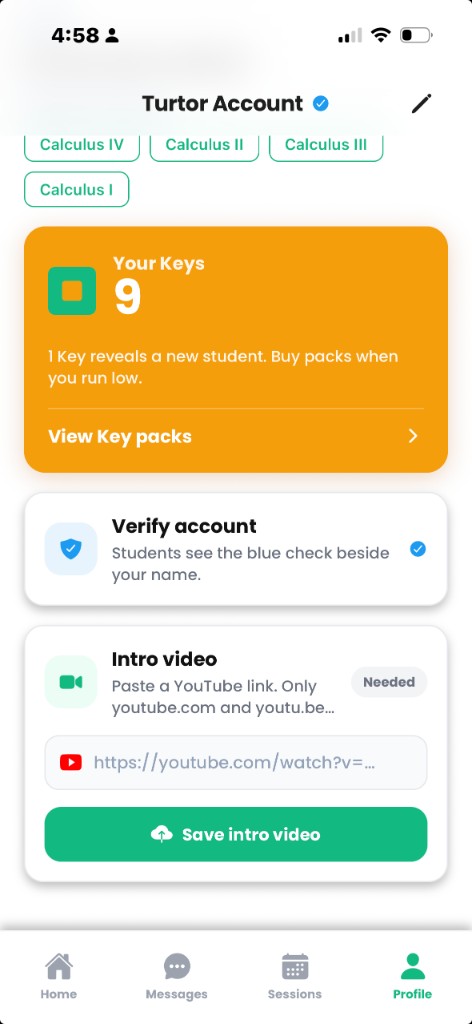
- 3. Result returns to Tutornet. On pass, the tutor account is marked verified. Students see a blue check beside the tutor’s name on discovery, profile, and booking screens.
App screenshots
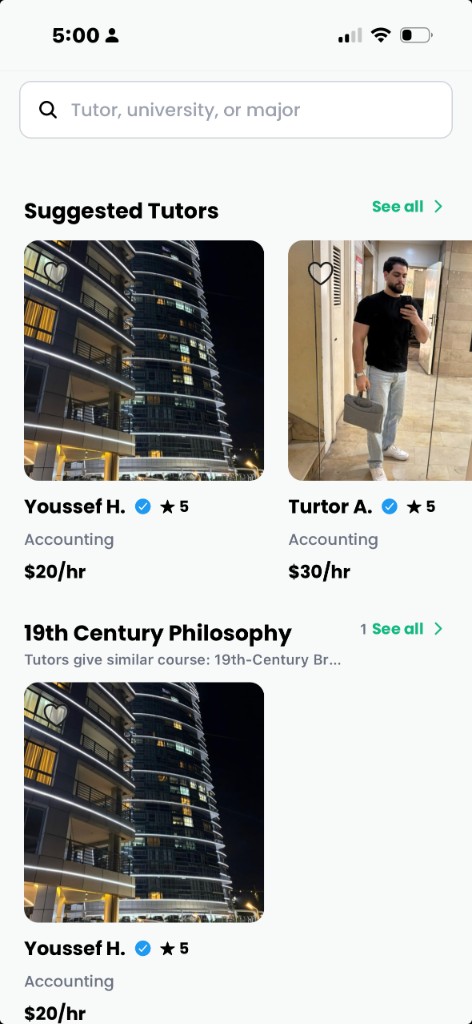
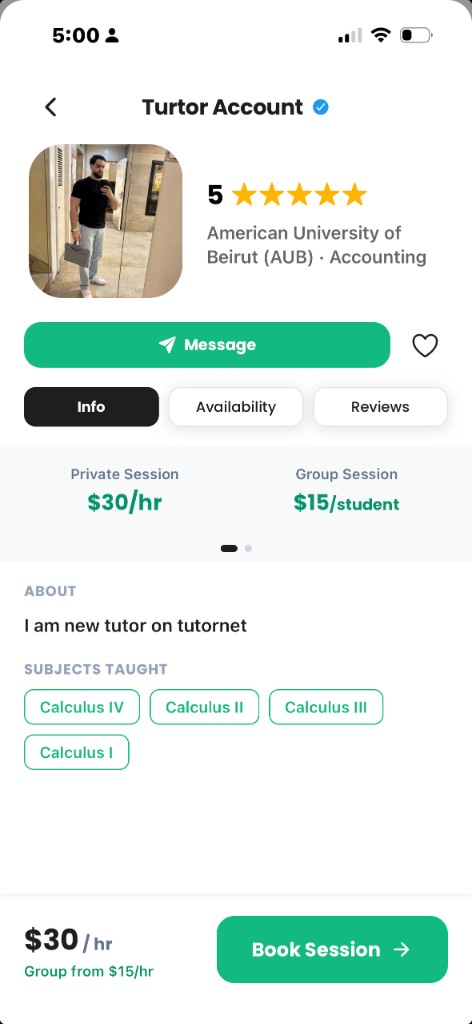
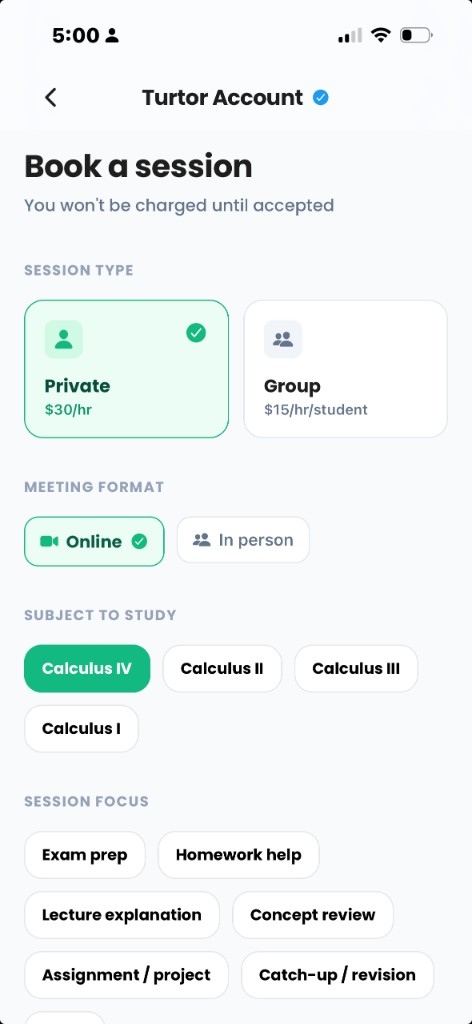
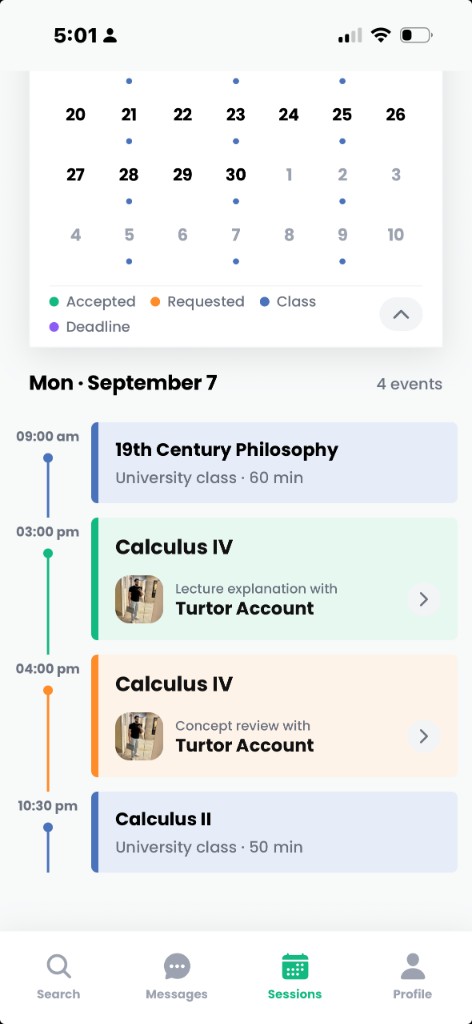
These are screens from the current Tutornet iOS app. Persona’s ID and selfie capture screens are hosted by Persona after the tutor taps Verify; we do not show those capture steps here.
Discover — nearby tutors
Tutor profile — book and message
Book a session
Sessions calendar
Tutor settings — start verification
Tutor settings — verified
Persona hosted flow
Data handling
- Persona performs the government ID / passport scan and live selfie in its hosted flow.
- Tutornet stores verification status (verified, pending, or rejected) and Persona’s inquiry ID. We do not store copies of the ID document or selfie.
- Verification is used to reduce impersonation and show a Verified badge. It is not used for advertising.
- Privacy policy: https://tutornet.app/privacy